MicoAir
MicoAir WiFi Link – Dual-Band WiFi 6 Telemetry Module for ArduPilot / PX4 Wireless Tuning & Multi-Drone Networking
MicoAir WiFi Link – Dual-Band WiFi 6 Telemetry Module for ArduPilot / PX4 Wireless Tuning & Multi-Drone Networking
📦 Ships from our US or Canada warehouse — US delivery in 2–7 business days, duties & taxes prepaid · 🇨🇦 Canada: free shipping · 30-day returns
Couldn't load pickup availability
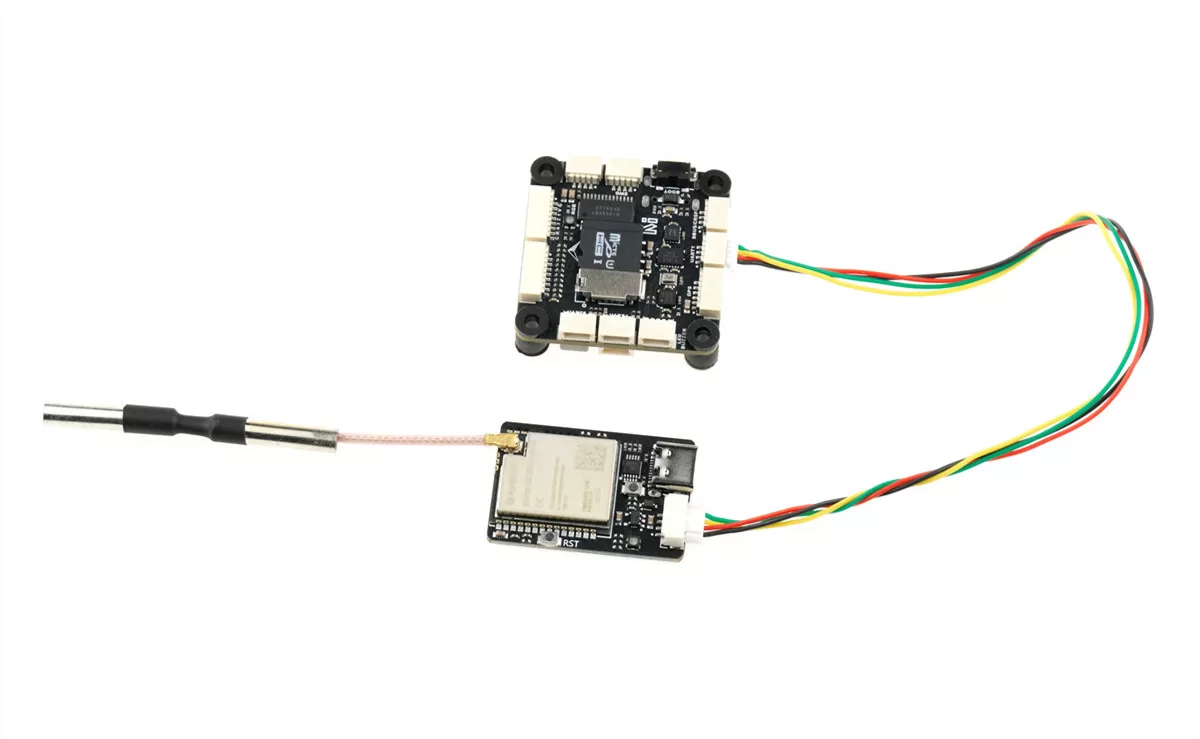
The MicoAir WiFi Link is a dual-band WiFi 6 telemetry module that gives your ArduPilot or PX4 flight controller a wireless MAVLink connection to the ground station — tune, monitor and upload missions without plugging a USB cable into the aircraft. OFDMA and downlink MU-MIMO support keep connections reliable when many aircraft share one network, making it a practical building block for drone-swarm and light-show fleets.
What you can do with it
- Wireless ArduPilot / PX4 tuning — works with Mission Planner, QGroundControl and MicoPilot over MAVLink UDP.
- Multi-drone networking — STA mode puts a whole fleet and one ground station on the same router (works with Skybrush workflows).
- Robotics wireless serial link — bidirectional Serial ↔ UDP transparent transmission for any short-range, high-bandwidth link.
- BLE telemetry — Bluetooth serial link for the MicoPilot mobile app (BLE is supported by MicoPilot only).
Key features
- ESP32-C5 main controller
- Dual-band 2.4 GHz / 5 GHz, WiFi 6 (802.11ax), backward compatible with 802.11 a/b/g/n/ac
- Ships in AP mode — connect your PC or phone straight to the module's hotspot, no network setup
- STA mode for router-based, multi-aircraft networks
- Built-in web configuration page (192.168.4.1) plus full AT-command configuration over USB-C
- Telemetry baud rates 57600–921600 (default 115200); firmware upgradable via MicoAssistant
Specifications
| Main controller | ESP32-C5 |
| Wireless standard | WiFi 6 / 802.11ax, backward compatible with 802.11 a/b/g/n/ac |
| Frequency bands | 2.4 GHz / 5 GHz |
| Interfaces | LVTTL (3.3 V) serial / USB Type-C (CH340) |
| Max range (AP mode) | 100 m — direct to phone/PC, open environment |
| Max range (STA mode) | 500 m — via high-power router, open environment |
| Max range (BLE) | 10 m |
| Telemetry baud rates | 57600 / 115200 (default) / 230400 / 460800 / 921600 |
| Default UDP port | 14550 |
| Operating voltage | 5 V |
| Average operating current | 150 mA |
| Dimensions | 34.5 × 23.5 × 6 mm |
| Weight | 5.5 g (without antenna) |
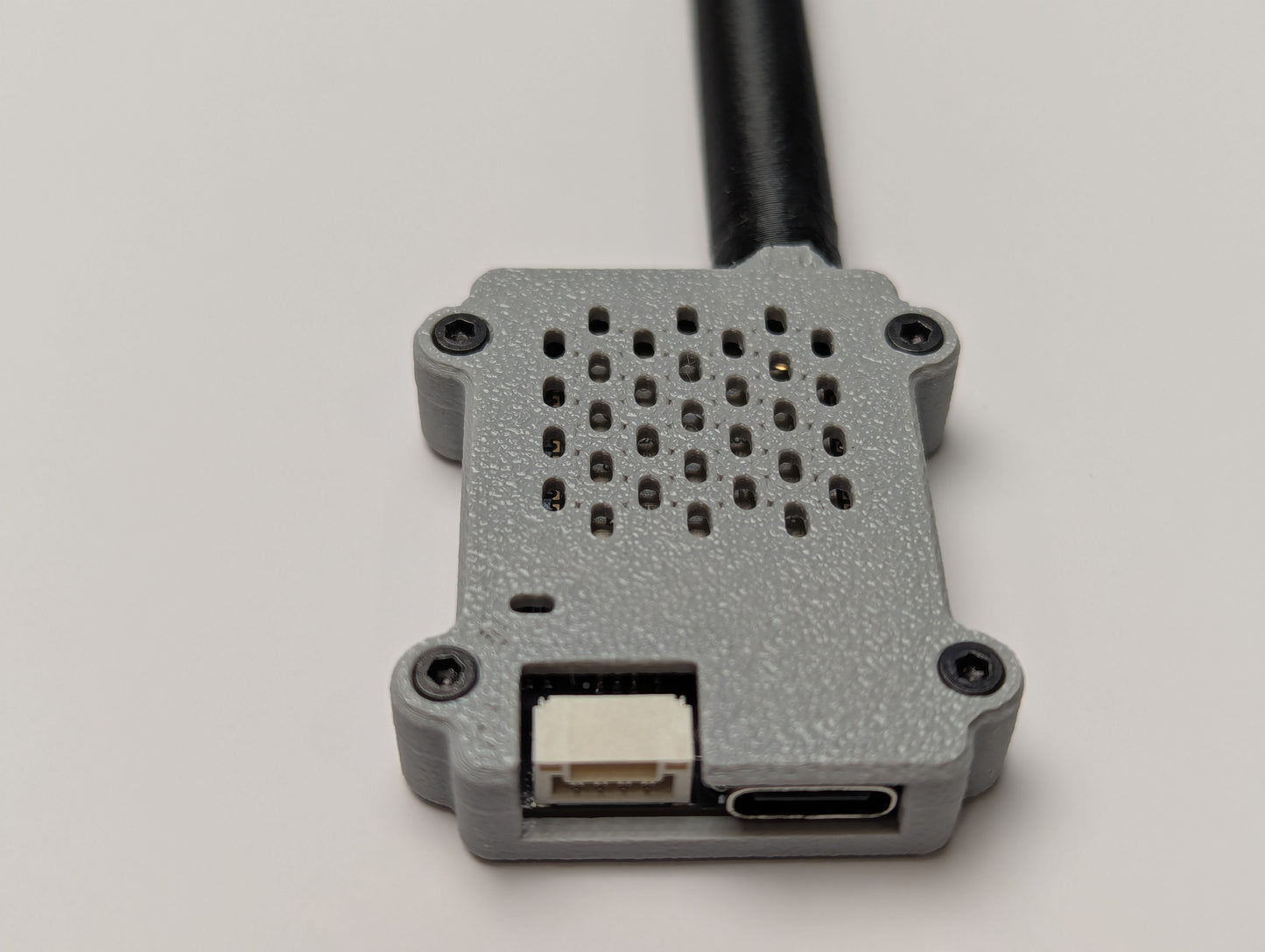
Free 3D-printable case — designed by Robofusion
The WiFi Link ships as a bare board with a bare antenna. Robofusion has designed a free 3D-printable protective case for the module and a matching antenna radome. Both downloads include the model files and print profiles:
- Download on MakerWorld — print straight from the MakerWorld profile.
- Direct download (ZIP) — all model and print-configuration files in one package.
Documentation
- MicoAir WiFi Link — User Manual — specs, AP/STA/BLE modes, wiring, web configuration and the full AT command reference.
- Multi-Drone Networking Tutorial — one ground station, many aircraft: complete STA-mode setup for swarm and light-show fleets.
Setting it up with an AI assistant? Read our AI setup guide first. It shows you how to point ChatGPT, Claude or Gemini at the official manual for this product, so the answers come from the real pinout and parameter names instead of guesses.
Good to know before you buy
- The flight-controller serial port must be set to the same baud rate as the module (115200 by default).
- TX and RX are cross-connected between module and flight controller, with a common ground.
- BLE and 2.4 GHz WiFi share one antenna and cannot run simultaneously; factory default is 5 GHz WiFi (AP) + BLE.
- BLE connection is currently supported by the MicoPilot app only; Mission Planner and QGC connect over WiFi UDP.
Share